
Browse and Use Your Information
Start with your instance and a successful search. Retain your Core URL, PostgREST URL, and private JWT secret.
Read and explore in the Web app
First connect the Web app. Current Settings generates and registers the browser's own Peer ID; do not manually create a Peer or reuse Core's identity.
- Open Info Base and search for the phrase that worked in the search guide.
- Select a result, use View content where supported, and explore its relationships in the graph. The list is a search surface, not every stored Block. Some rich renderers need a compatible browser Extension; an Agent can use the CLI's
get_textto read Core-resolved text. - Bookmark the app. A new browser/device needs its own connection. A Settings Export restores the complete browser connection, including its secret, but is not an information backup.
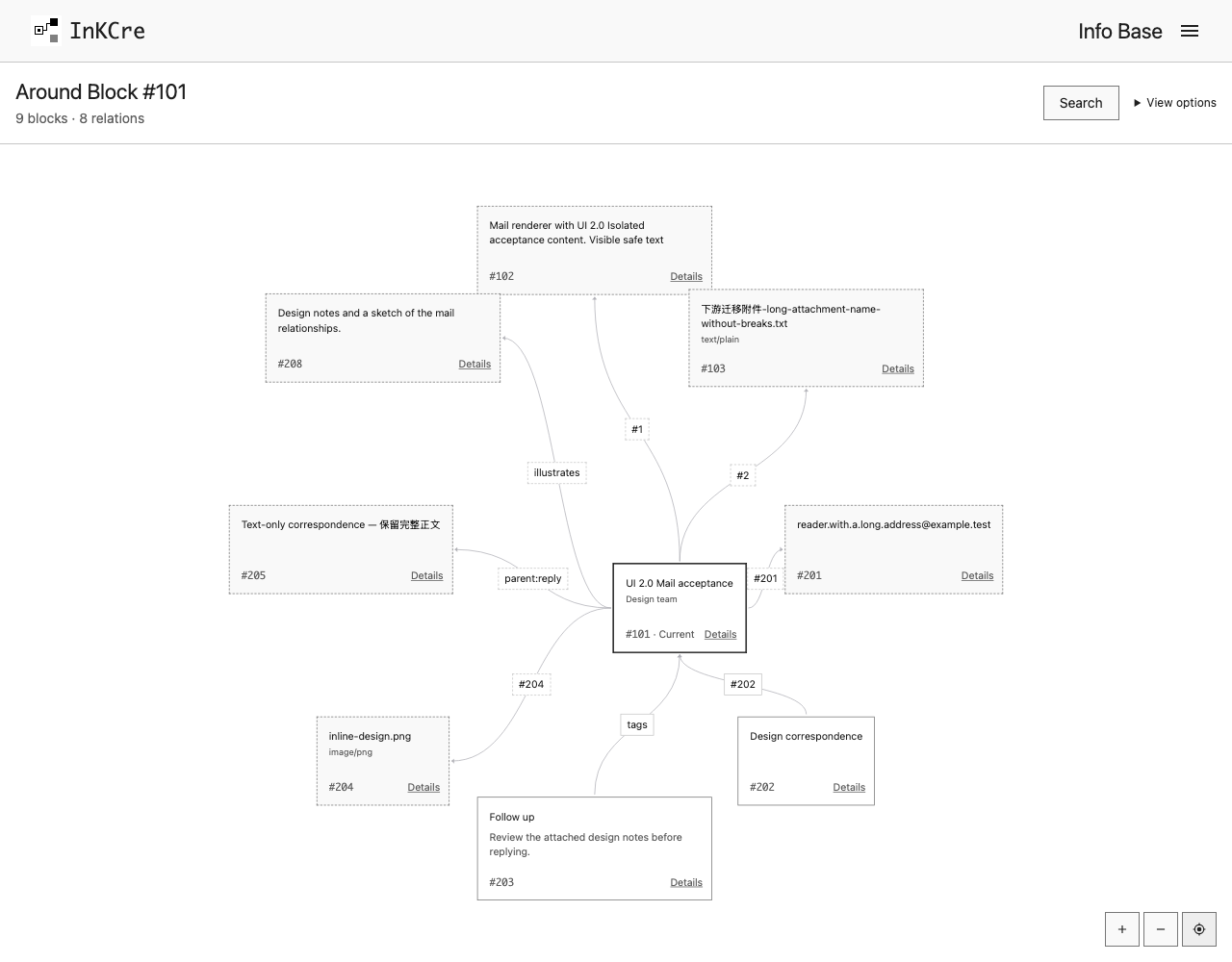
Open a result's neighborhood to move from one Block to the information directly related to it.
Use your information from a terminal or AI tool
Keep inkcre-cli recall 'your clue' --mode lexical available wherever you work. A terminal-based assistant you trust can use the installed CLI and named connection. For example:
Use my InKCre personal connection to find articles I saved about distributed systems. Read the matches and cite their original links. Do not change my sources or data.
The connection has owner authority; only give it to a tool you trust. Its model provider may receive the content it reads.
Connect a Sink to ChatGPT
A Sink exposes InKCre capabilities to an external tool. Follow Connect ChatGPT through MCP to create the MCP Sink, run Secure MCP Tunnel, add the ChatGPT connection, and verify a real retrieval. It explains the separate credentials and what must keep running; no CLI sink command is required.
For another MCP host that can send a Bearer PAT directly, the Core MCP Sink reference owns the endpoint and authentication contract.
These paths make your saved information available on demand. They do not configure proactive notifications or a daily briefing.
Use Troubleshooting when a workflow fails.