
Choose Your First Source
Start with a working instance and a connected Web app or Agent. The guides default to Web instructions, with a CLI / Agent alternative. You do not need to connect every account at once: choose one small source with an item you will recognize.
RSS or Atom is a useful first choice because a public feed needs no account credentials. If you prefer your own saved information, start with GitHub Stars, email, Telegram, or Twitter / X bookmarks. Each guide includes its own prerequisites and setup.
An Extension supplies a collector implementation; a Source is one configured use of it. For example, install the RSS Extension once, then create one Source per feed. Installing it does not automatically enable it or collect anything. Prepare the Extension on Core, then configure the Source in the Web app. Installation does not need a Peer selection; select the online Core Peer when enabling a Python collector. The browser does not need to run it.
Continue the first loop
- Prepare the Extension named by your source guide.
- Return to that guide to create the Source.
- Run a Collection and wait for its Job to finish.
- Find What You Saved and open a known item.
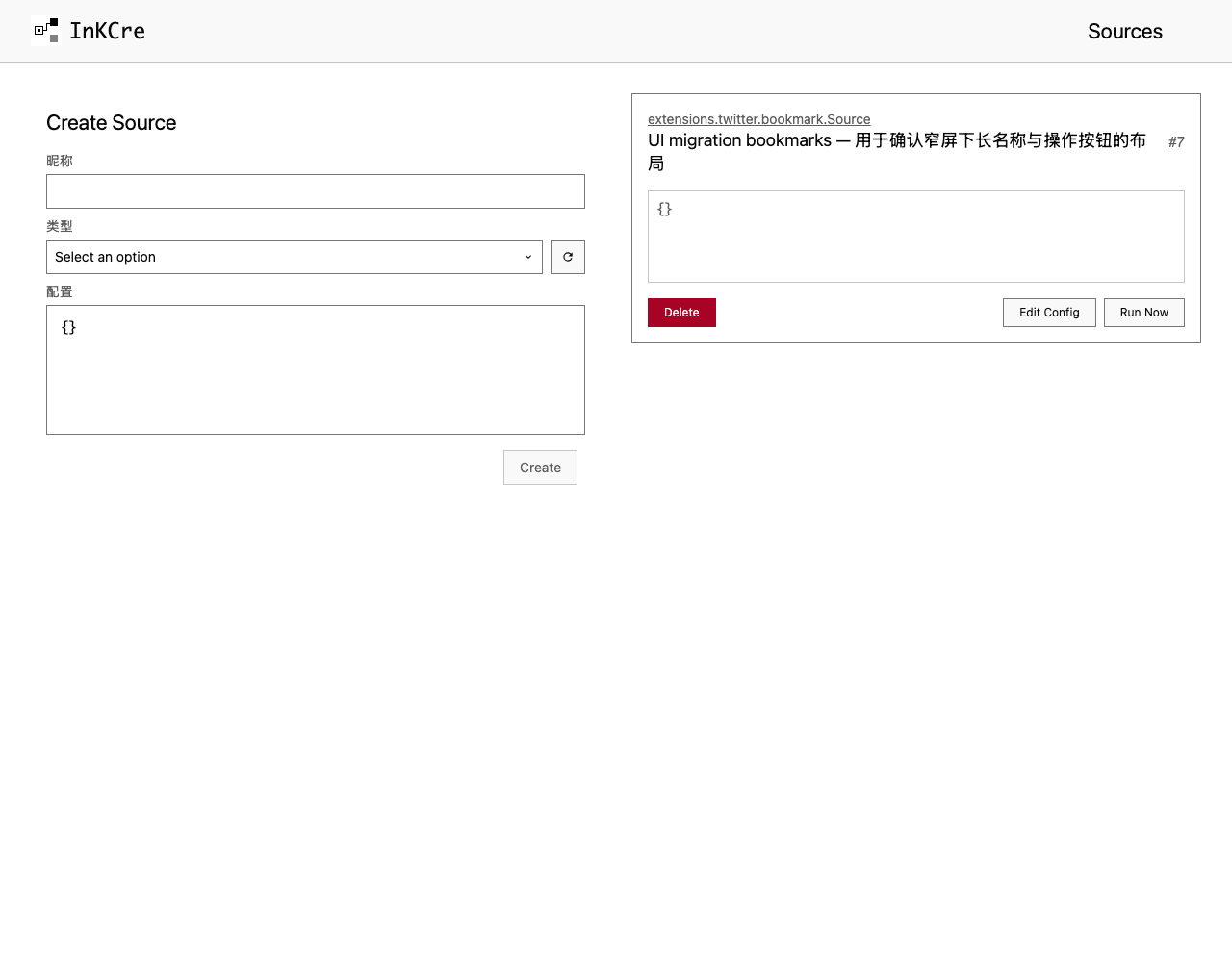
Each row is one configured Source. Open it to inspect configuration and history, or run a manual collection from the row.
Done means you retrieved a real item, not just that installation or a Job succeeded. A successful empty collection may be normal; each source guide explains what is eligible for collection.
After you find a real item, Getting Started is complete.